Our ServicesIndependent, advisory printer troubleshooting support


Overview of Our Services
Our services are focused on providing guidance and assistance for common printer-related issues that users face in home and small office environments.
We operate as an independent third-party technical assistance provider. Our role is to help users:
- Understand printer problems
- Learn what may be causing an issue
- Try safe, commonly used troubleshooting steps
- Decide whether optional assisted support is helpful for them
We do not claim to be an official service provider for any printer brand, and we do not represent or partner with manufacturers.
Nature of Our Services (Important to Understand)
All services provided through this website are:
This means:
- Advisory and informational
- Non-invasive
- Remote-based (if assistance is requested)
- User-controlled
This means:
- We guide and explain
- The user decides what steps to perform
- No physical repair is involved
- No hardware replacement is performed
Our services are designed for users who want clarity and guidance, not brand-authorized repairs.
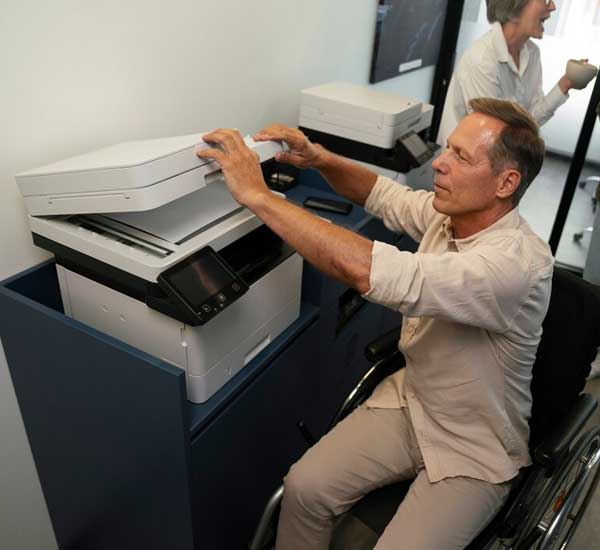
Printer Setup & Installation Guidance
What This Service Covers
We provide guidance for users who are:
- Setting up a new printer
- Reinstalling an existing printer
- Configuring a printer after system changes
This may include guidance on:
- Connecting the printer to a computer or network
- Understanding setup steps shown on screen
- Confirming basic configuration settings
- Ensuring the printer is recognized by the operating system
What This Service Does NOT Cover
- Physical installation of hardware
- On-site setup
- Manufacturer warranty activation
- Sale of setup software or tools
Setup guidance is provided in a general and instructional manner, based on the information shared by the user.
Printer Not Printing – Troubleshooting Guidance
One of the most common issues users face is when a printer appears to be connected but does not print.
Our Guidance May Include:
- Checking default printer selection
- Reviewing print queue status
- Identifying paused or stuck print jobs
- Confirming basic connectivity
- Explaining common configuration causes
We focus on helping users understand why printing may not occur, rather than applying random fixes.
📌 Results may vary depending on printer model, system configuration, and environment.
Printer Offline Issues – Advisory Support
When a printer shows an “offline” status, the cause is often related to:
- Connectivity changes
- Network selection issues
- System or software updates
- Power or communication interruptions
We explain:
- What “offline” status typically means
- Common reasons this status appears
- General steps users can try to bring the printer back online
This service does not involve:
- Network engineering
- Router replacement
- Internet service troubleshooting

Connectivity & Wi-Fi Troubleshooting Guidance
For printers connected via Wi-Fi or network, we provide general connectivity guidance, such as:
- Verifying network selection
- Understanding how printers communicate on a network
- Identifying common misconfiguration scenarios
- Explaining steps to reconnect a printer safely
📌 We do not access routers, modify network security settings, or provide cybersecurity services.
Print Quality Issue Guidance
Print quality issues may include:
- Light or faded prints
- Lines or streaks
- Smudged or uneven output
- Missing colors or text
Our Guidance Focuses On:
- Explaining common causes of print quality problems
- Identifying settings that may affect output
- Suggesting basic checks users can perform
We do not:
- Replace ink or toner
- Repair hardware components
- Sell consumables
.jpg)
Error Messages & Warning Interpretation
Printers sometimes display error codes or warning messages that are confusing or unclear.
Our Service Includes:
- Explaining what an error message generally indicates
- Helping users understand whether the issue is configuration-related or operational
- Suggesting safe next steps to try
📌 We do not claim access to proprietary manufacturer diagnostics.
Assisted Troubleshooting Support (Optional)
If users request additional help after DIY steps, we may provide assisted troubleshooting.
Assisted Support May Include:
- Step-by-step verbal guidance
- Screen-guided explanation (only with consent)
- Clarifying system or printer settings
Important Boundaries:
- Assistance is advisory only
- Users retain control at all times
- No action is taken without explanation
What We Clearly Do NOT Offer (Very Important)
To avoid confusion or false expectations, we clearly state what is outside the scope of our services:
- ❌ Manufacturer-authorized service
- ❌ Official or certified brand support
- ❌ Hardware repair or replacement
- ❌ Sale of printer parts or consumables
- ❌ Warranty or insurance claims
- ❌ Guaranteed fixes or instant resolutions
- ❌ Cybersecurity, virus, or hacking diagnosis

Who Our Services Are Suitable For
Our services are suitable for:
- Home users
- Small offices
- Non-technical users
- Users seeking independent guidance
Our services may not be suitable for:
- Physical hardware damage
- Printers requiring part replacement
- Manufacturer warranty claims
Transparency & User Choice
We believe services should be:
- Clearly explained
- Optional
- Free from pressure
Users always have the choice to:
- Use only DIY guidance
- Decline assisted support
- Stop the process at any time
Summary of Our Services
In summary, our services provide:
- Independent third-party printer troubleshooting guidance
- Clear explanation of common printer issues
- Optional assisted support with transparent pricing
- Honest boundaries on what we can and cannot do

Compliance Statement
We are an independent third-party service provider.
We do not claim affiliation, authorization, or endorsement by any printer manufacturer.
Service outcomes may vary based on individual circumstances.